Step 1.1 - Enter your email address (username@domain.tld)
$:hoge@example.com
Step 1.2 - If you used to feed FR24 with ADS-B data before, enter your sharing key.
If you don't remember your sharing key, you can find it in your account on the website under "My data sharing".
Step 3.A - Enter antenna's latitude (DD.DDDD)
$:DD.DDDD

Step 3.B - Enter antenna's longitude (DDD.DDDD)
$:DDD.DDDD

Step 3.C - Enter antenna's altitude above the sea level (in feet)
$:24

Using latitude: DD.DDDD, longitude:DDD.DDDD, altitude: 24ft above sea level

Validating email/location information...OK

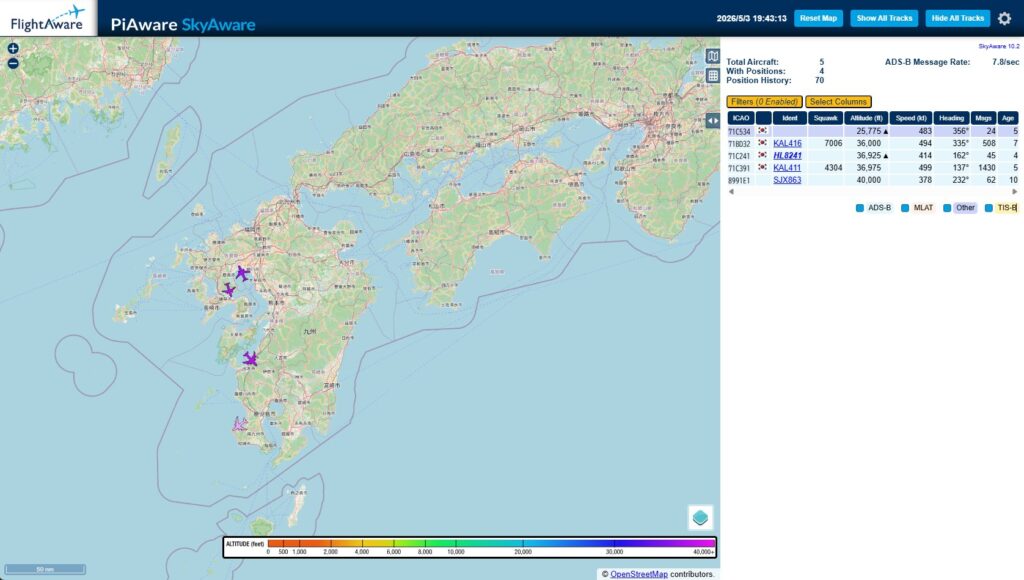
The closest airport found is ICAO:RJFU IATA:NGS near Nagasaki.

Latitude: 32.916939
Longitude: 129.913605
Country: Japan
Flightradar24 may, if needed, use your email address to contact you regarding your data feed.

Would you like to continue using these settings?
Enter your choice (yes/no)$:yes

We have detected that you already have a dump1090 instance running. We can therefore automatically configure the FR24 feeder to use the existing receiver configuration, or you can manually configure all the parameters.

Would you like to use autoconfig (*yes*/no)$:yes



 ポチップ
ポチップ








コメント